Organize your blogs with tags
We've received a lot of requests for blog organization in a way that doesn't affect the Network and IP selection. There is a lot of confusion about the Network selection as a way to organize blogs when it's only for IP selection.
 Dejan Murko
After much thought, we found a way to do this without adding additional confusion.
Add tags to existing blogs
Tags can only be added to existing blogs. They cannot be added in the process of adding a new blog. This is to prevent confusion with the Network selection.
Once the blog has been created, open the Blog Info page and click edit on Notes & Tags.
Add a tag by adding a hashtag in front of a word (no spaces or special characters).
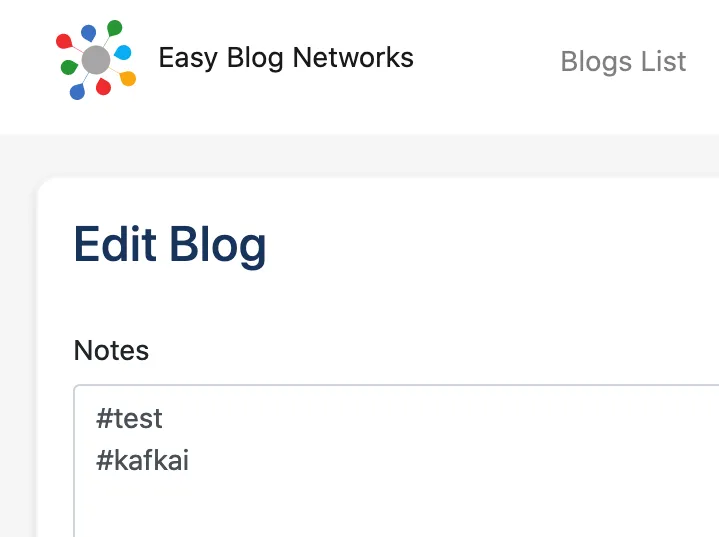
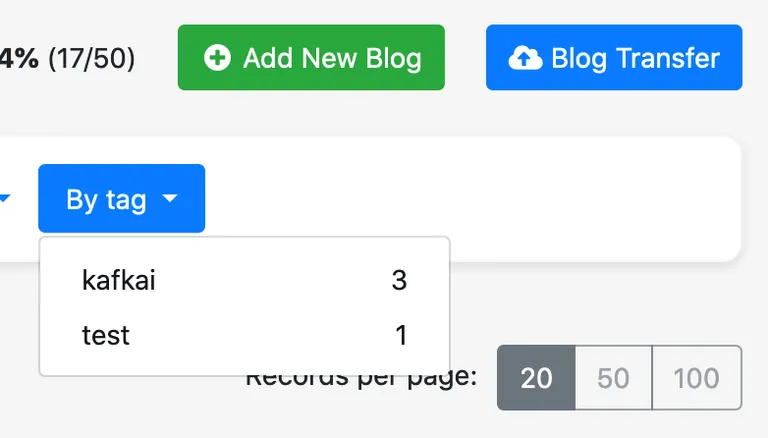
You can show blogs with a specific tag by clicking on it on any Blog Info page, or by using the filter on top of Blog List:
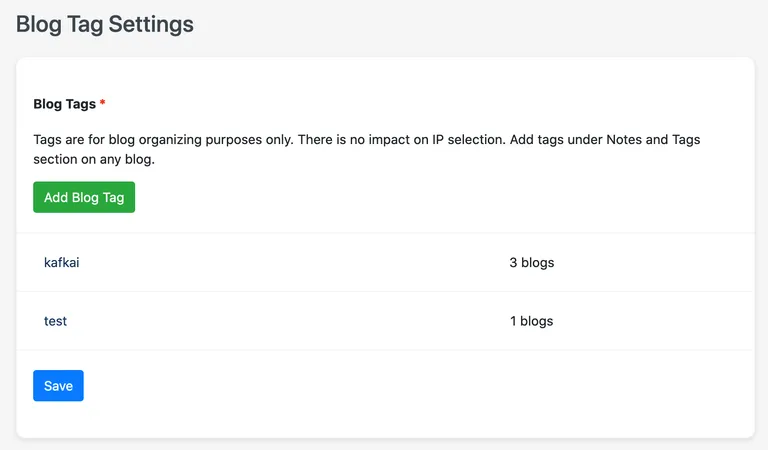
You can manage the tags by going to Settings > Blog Tags.
Try it out!
We hope this helps with organizing your blogs in a way that makes sense for you. Try it out and let us know your feedback!
Dejan Murko
Dejan is the Director of Opportunities at Niteo, making sure we never run out of things to do.


 94.7% would recommend EBN to a friend (survey)